

Protects your PC against known threats. Features built-in advanced heuristics scanner, and modules for various services (HTTP, Email, file transfers, etc).
More than just a simple tool to detect any malware programs trying to steal information from your PC, ESET NOD32 Antivirus is an all-in-one anti-virus utility with useful tools to keep your PC free from suspicious files and working at its full capacity. The program works silently in the background, taking the utmost care not to interfere with your other activities.
The program will perform an initial scan of your computer, including all disks connected to it, in order to provide with the most accurate and updated information about its current health status. I must say I have seen much faster scans, but one would like to think that the reason behind such a slow pace is that ESET NOD32 Antivirus is taking this essential task very seriously.
Once you’ve been presented with the scan report and have removed or put away all possible threats, the program will stay quietly at the back, keeping an eye on any suspicious activity that may harm your system’s security and/or your privacy. And once your system is secure, it’s time to explore this program’s various other tools.
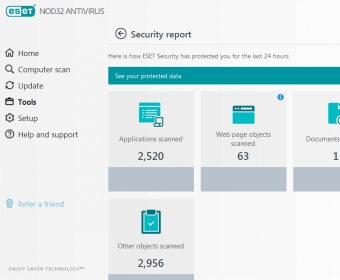
Though mainly devoted to keep your system private and secure, this program also offers its many users a powerful system cleaner. While this feature is usually connected to the removal of junk files and unnecessary files, in this case the cleaning process has more to do with suspicious files and Windows system settings that may be potentially dangerous for your computer’s safety and your own privacy. The program also provides you with a comprehensive security report showing all the applications, web pages, and other objects scanned by this tool in the last 24 hours, as well as other interesting data regarding other potential threats.
ESET NOD32 Antivirus is an attractive and efficient protection tool useful for a wide range of users, from home users and students to gamers and professionals. This is probably the most basic protection tool in the extensive range of ESET security products and levels of protection, but it has been designed with same reliability and usability standards common to the entire ESET catalog of security tools.






Comments (70)